Showing posts with label Blogger How To. Show all posts

15
comments
How to Add Page Peel / Flip Effect in Blogger using JavaScript and CSS

You might have seen the page flip effect on many professional websites and blogs. Today we will see how you can add page peel / flip effect in blogger using little bit of JavaScript and CSS.

Add Page Peel Effect in Blogger

This post will help you to get the same effect on your Blog which cane be used to display any advertisements, RSS feeds or whatever you want and link it too.


12
comments
How to Make Blogger Blogs Mobile Phone Compatible

How to Make Blogger Blogs Mobile Phone Compatible? .If you are running a blogspot blog then you should think about making your blogger blogs mobile friendly. Actually today i was seeing my Google Analytic account and i was surprised when i saw in the browser details that 15% of the users are using mobile browsers.

Make your Blogger Blog Mobile Compatible

I also noticed that my blog is getting more visitors from the US region, where majority of users using mobile phones, tablets and iPhones. So i have decided to make my blog(http://bloggerhowtotips.blogspot.com) mobile compatible. Below here you will find how to make blogger blog mobile phone compatible.


1
comments
How to Add Favicon to Blogger - Set Favicon in your Blogspot Blogs

How to Add Favicon to Blogger?, When you create a blog in Blogger, the default favicon you will notice in your browser navigation bar is Bloggers default icon as favicon. If you want to add custom favicon to blogger and set an enrich favicon in your blogspot blogs then this is the final place for you.

Generate favicon in blogger

Now you can set Favicon (Favorite Icon) as you need and which suits to your blog logo and design. Follow the below given steps to add favicon in your blogspot blog with ease.


17
comments
How to Add Popular Posts Widget With Thumbnail in Blogger

Blogger has just launched Popular Posts Widget in Blogger for all blogspot user, and i would like to guide you on how to add this popular posts widget in blogger. You can show this widget with thumbnail and without thumbnail. You will also be able to show text snippet of your post.

Add Popular Posts Widget in Blogger
The Popular Posts gadget will help your readers quickly find out which of your posts have been viewed the most by your readers. The gadget also comes with several different styles and configurations. To add one of the best gadget you have to follow some simple steps given below.


1
comments
How to Change Background Image of Your Blog in Blogger

Now you can use your own image as your blogger blogs background. If you want the answer of the question "How to Change Background Image in Blogger" and use your own custom image for your blogs background, keep reading this post.

Change Blogger Background Image

After blogger has launched the Blogger Template Designer, one of the most requested features was the ability to upload your own background image. Though blogger provides hundreds of professional stock photos from iStockPhoto, they know how many of you are serious photo buffs and would like to use your own beautiful photo as your blog's background image.


3
comments
How to Share Google Adsense Revenue in Blogger with Co-Authors

Today we will see How to Share Adsense Revenue for Multiple Authors in Blogger. To have multiple authors in a single blogger blog is very common now a days, and if your blog is having more than one author's then it is quite possible that the co-author wants to put his/her Google Ads code on their own posts.

Share Google Adsense Revenue in Blogger

If you are using wordpress then this is thing can be achieved with Plug-in itself, but in case of blogger you need to do it manually. So below here is a hack for how you can share Google Adsense revenue with multiple authors while using blogger.


7
comments
How to Add Google SMS Channel Link as Gadget in Blogger

Alert your friends and fellows in real time on information that they care about through SMS. It is very useful for everyone if you know how to Add/Start Google SMS Channel Link/Gadget in Blogger. I have said for Bloggers this is very helpful because it might be help you and your readers to get synchronous.

Add Google SMS Channel

Using Google SMS Channel, As a subscriber you can subscribe to channels and you also can create your own channels and invite others to join. You might have seen SMS Channel of Best How To Blogger, you will find that in right sidebar as SMS Symbol.
Before subscribing to or creating an SMS Channel, you need to verify your mobile number.


14
comments
How to Exclude Adsense Ads From Specific Posts in Blogger

How to show adsense in specific post only?. This is quite a different scenario, if you want to exclude or remove Adsense ads from particular posts in Blogger. I am writing this post specially for my online friend ejaji, he wants solution on How to Exclude Adsense Ads From Specific Posts in Blogger.

Exclude Adsense Ads From Specific Posts in Blogger

Question:

"I have Adsense on my blogger blog. I have put the Adsense code in the template so that the ads show up automatically in every post. However, I need to exclude Adsense on a couple of posts. Is there any way of doing that? I know that, in Wordpress, there are plugins that do just that, but I need the same solution in blogger. Please help fast!"


3
comments
How to Replace "Followers" Title With an Image in Blogger

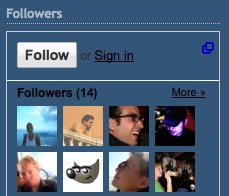
How many bloggers are there who wants to replace "Followers" Title With an Image in Blogger Siderbar?. Today i received a mail from TheoMat, asking help and hence inspired me to write this post on the topic of how to replace Google Followers title with image in Blogger sidebar.


I have already made a post about How to Replace Sidebar Widget's Title with an Image, but this hack will apply for all the widget's excepting Google provided "Followers" Widget.


1
comments
How to Display Profile Images-Avatar in Blogger Comments

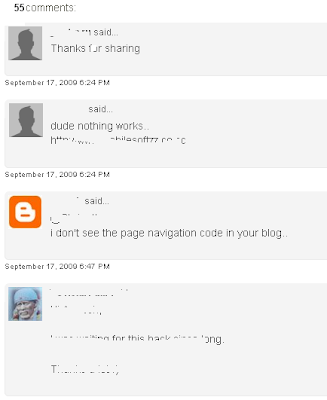
Now you can display profile images or avatar in blogger comments very easily, if you have a profile picture in blogger then whenever you comment on another blog you will see your profile image over there. After formally announced the Blogger Comment avatars you should know that it means you will see the profiles pictures of the commentators near to the comments made. Here is a screen shot for Avatars on Blogger Comments

this is the part that will show up on the main page.

Avatars on Blogger Comments


Now i think you are aware from what we are going to do, so now we will see how Avatars on Blogger Comments can show with little code in no time.


4
comments
How to Add Breadcrumbs in Blogger to Support Easy Page Navigation

Breadcrumbs or breadcrumb is a navigation used in user interface, typically appear horizontally across the top of a web page, usually below title bars or headers in blog area.

Add Breadcrumbs in Blogger

I suggest every blogger who uses blogger as a blogging platform, should add breadcrumbs in blogger to gain SEO Advantage and to support easy page navigation to end users. The term "Breadcrumbs" comes from the trail of breadcrumbs left by Hansel and Gretel in the popular fairytale.


0
comments
How to Add Signature Image at The End of Each Posts in Blogger

This post is for blogspot users who want to attach a signature in their Blogger Blogs. After Receiving an e-mail from one of my blog reader i have posted this article which will guide you through and let you know that How you can add Signature in Blogger like the image given here.

Signature in Blogger

Before Adding the signature you must have an image of your signature of any size, but i suggest you to use small signature image. you can use Microsoft Excel or Word to Create a signature image and save it as .jpg or .png, after having an image you need to upload it to your server.


5
comments
How to Add Recent Comments Widget in Blogger

Recent Comments Widget will display excerpts of the most recent comments that have been posted to the articles in your blog. While displaying recent comments you can customize number of comments and comment excerpts size.

Blogger Recent Comments Widget

You can choose whether to display the post title and comment date or not. Below is a steps on How to Add Recent Comments Widget in Blogger.


0
comments
How to Take Full Backup of Your Blogger Template

If your are using blogger blog and want to change some xml or css or html code in your blogger template then, it is advisable for you to have a full Backup of your blogger template. I know that this is very basic and common sense that before making any changes to the template the user should have backup of the full original template.

Backup Blogger Template

I am insisting to have copy of your blogger template, because once if you have made any bad changes and you are not that much use to with XML, then after saving bad changes you lose your previous template code.


8
comments
How to Add Jump to Top / Back to Top in Blogger Footer

You might have seen a Link or Button image saying "Return to the top of the page" or "Back to Top" or "Jump to Top" on lot of websites and blogs. I will explain you how to add such functionality in your blogger blog.

Back to top

Before starting let's have some basic knowledge about Anchor Tag - Intradocument Linking


5
comments
How to Restore-Recover Deleted Blog in Blogger

After giving Import Blog - Export Blog - Delete Blog functionality in blogger, so many blogspot users have deleted their blogger blog accidentally. if you also have deleted your blog and want to recover or restore your blog from blogger then below is a detailed post regarding how you can reactivate your accidentally deleted blog.

Recover Deleted Blog

  • Go to the Dashboard and you will see a list of your blogs, some of which may be hidden (at the bottom of the list of blogs you will find statement like - "Displaying 1 of 9 blogs - Show All")


0
comments
Get Blogger Followers Via Promoting Your Blog

This is in no way a science or guarantee; it's simply a few suggestions with which many bloggers have found success.
Set your blog to Send Pings. When this setting is activated, your blog will be included in various "recently updated" lists on the web as well as other blog-related services.

Get Blogger Followers

Activate Your Navbar. Do this and you might start to see the effects right away! One of the features on the Blogger Navbar is a button called NextBlog - click it to visit the next Navbar-enabled blog.


3
comments
How To Move a Blog Between Blogger Accounts

Do you want to move a blog from one blogger account to another?. The short answer is that you can do this by making the blog in question a team blog, with two members, then removing the original team member.

Move a Blog Between Blogger Accounts

In detail, the process goes like this:


0
comments
Intro About Blogger Posting, Settings, Layout & Monetize Tabs

If you are a new in blogger, then this post will give you brief introduction about environment and configuration setting for blogger: http://draft.blogger.com/home

blogger features

I will explain each tab one by one in brief, there are 4 Tabs to configure your blogger environment and behavior:
  1. Posting Tab
  2. Settings Tab
  3. Layout Tab
  4. Monetize Tab


0
comments
How To Recover Your Username and Password in Blogger

If you ever forget any of your login information, just click the "forgot?" link in the upper-right corner of the Blogger home page. (Or you can go directly to the form here.)


Forgot your password

Here you can request your password to be sent to you in email by entering your Google Account email address.


^ Scroll to Top